 Skip to content
IPTV subscriptions have changed the way millions of UK households watch television, and in 2026 the market is bigger, more varied, and more confusing than ever. If you are currently paying over £80 a month for traditional TV and wondering whether switching makes sense, you are in the right place. The honest answer is that it often does make sense, but only if you know what you are actually signing up for.
Most comparison articles list a price, say the service is good, and leave you to figure out the rest. That approach fails you at the critical moments: when you cannot get it working on your device, when a price quietly rises after your first month, or when you realise the package you bought does not include what you actually wanted to watch. This guide takes a different approach and walks you through every meaningful decision point before you spend a penny.
By the time you finish reading, you will understand exactly what separates a genuinely good IPTV subscription from one that looks cheap until it is not, and you will have a clear framework for choosing a service that fits your setup, your budget, and your viewing habits.
Key Takeaways
- Budget IPTV tiers range from £5 to £10 per month, but hidden costs and poor infrastructure often make them more expensive in practice than a reliable mid-range plan.
- Device flexibility, streaming quality, and transparency around pricing are the three most important factors to evaluate before committing to any UK IPTV subscription.
- Annual plans typically deliver savings of around 40% compared to rolling monthly payments, making them worth considering once you have tested a service and are satisfied.
- Privacy features such as VPN compatibility and anonymous payment options vary significantly between providers and are worth checking before you subscribe.
- A money-back guarantee is a far more reliable safety net than a free trial, as it gives you real-world testing time with no artificial restrictions.
Why Most IPTV Subscription Comparisons Leave UK Viewers in the Dark
The majority of IPTV comparison content focuses on base prices and a bullet-point list of features. What those articles almost never cover are the real costs that emerge after you subscribe: setup charges, device restrictions, contract lock-ins, and mid-cycle price increases. For UK viewers, these hidden elements can turn what looks like a £10 saving into a net loss.
Understanding how Internet Protocol television actually works helps you see why some providers can offer rock-bottom prices and others cannot. IPTV delivers content over your broadband connection rather than via satellite or a cable network. The infrastructure required to do that reliably at scale, with strong uptime and clean streams, costs money. When a price looks implausibly low, something is being cut somewhere, and you are usually the one who finds out what.
The Hidden Cost Problem in More Detail
Here is a realistic scenario. You sign up for a £5 per month service. The base price looks excellent. But then you discover that the proprietary box required costs an additional £60 upfront. The plan auto-renews at a higher rate after the first month. Customer support is a ticket system that takes 72 hours to respond. Buffering during live sports is a regular occurrence because the server infrastructure cannot handle peak demand.
By month three, you have spent more than you would have on a properly priced, well-supported mid-range plan, and you have had a worse experience. This pattern is common enough in the industry to be worth treating as a default assumption rather than a worst-case scenario.
The specific things to check before subscribing to any UK IPTV subscription are:
- Whether there is any upfront hardware or setup cost
- Whether the price shown is introductory or ongoing
- Whether there is a contract or penalty for cancelling early
- What the support options are and how quickly they respond
- Whether you can use your own device or are locked into specific hardware
- Whether there is a money-back window if the service does not work as advertised
None of these questions are difficult to answer if a provider is being transparent. If a provider is not being transparent about them, that tells you something important before you have paid anything.

The Real Cost of IPTV Subscriptions in 2026 – Tier by Tier
The average monthly cost for a reliable UK IPTV subscription in 2026 sits at approximately £35, though this figure spans a wide range of tiers. Budget plans start from around £5 to £10 per month, mid-range plans fall between £12 and £15, and premium services can reach £65 to £100 per month. Annual plans consistently deliver savings of around 40% compared to equivalent monthly pricing, making subscription length one of the most impactful decisions you can make.
Budget Tier: £5 to £10 Per Month
At this price point, you are typically getting a basic channel selection, limited or no catch-up TV, standard definition streams with some HD options, and minimal customer support. The infrastructure is often shared across a high volume of users, which means peak-time buffering is a genuine and frequent problem. There may also be no EPG (electronic programme guide), meaning you are navigating channels blind.
Budget IPTV is not always bad, but it requires a high tolerance for inconsistency. If you are watching occasionally and your viewing is not time-sensitive, it might be acceptable. If you want to watch live sports events or anything where picture quality and reliability matter, budget tier services usually disappoint.
Mid-Range Tier: £12 to £15 Per Month
This is where the quality jump becomes meaningful. Mid-range plans typically include a much larger channel selection, full HD and 4K streams, a functioning EPG, catch-up TV, and support across multiple simultaneous devices. Customer support at this tier is noticeably more responsive, and the underlying infrastructure tends to be built for reliability rather than volume.
For most UK households, the mid-range tier represents the best balance of cost and quality. You are not overpaying for features you will never use, but you are also not accepting the compromises that come with a budget plan.
Premium Tier: £65 to £100 Per Month
Premium IPTV pricing is rarely justified by content quality alone. At this level, you are often paying for a branded experience, specific proprietary hardware, or an aggregated service that bundles streaming platforms alongside live TV. The incremental improvement in stream quality over a good mid-range plan is minimal. Whether the additional cost is worth it depends entirely on whether the specific extras matter to you.
Annual Plans and the 40% Saving
One of the most consistently overlooked opportunities in IPTV subscriptions is the saving available on annual billing. If a service charges £15 per month and offers an annual plan at £108, that works out to £9 per month, a 40% reduction. Over time, this compounds into a significant difference. The trade-off is commitment, so it is worth testing a service on a shorter plan first before switching to annual billing.
At IPTV Kingdom, the pricing structure is built around exactly this approach. A 1-month plan costs £10, a 3-month plan £25, a 6-month plan £35, and a full 12-month plan just £49. The saving between monthly and annual billing is significant, and the 3-day money-back guarantee means you can test the service properly before deciding to commit further.
Device Compatibility – Which IPTV Subscriptions Work Without the Headache?
Device compatibility is one of the most practically important factors when choosing an IPTV subscription, and it is one that gets glossed over in most comparisons. Some providers lock you into their own hardware. Others support a wide range of devices from day one. The difference between these two approaches affects both your upfront cost and your long-term flexibility.
The Device Lock Problem
Certain IPTV services are designed to work only with specific proprietary boxes. If you want to use the service, you buy their hardware. This creates a dependency that benefits the provider more than you. If you later decide to switch services, you are left with a box that may not work with anything else. If the hardware develops a fault, you are dependent on that provider for a replacement.
The better approach is to choose a service that works across the devices you already own. Most UK households have at least one of the following: a smart TV, a Fire TV Stick, an Android TV box, an iOS or Android phone or tablet, or a laptop or desktop computer. A genuinely flexible IPTV service should work on all of them without requiring any additional hardware purchase.
Which Devices Should Your IPTV Subscription Support?
| Device Type | Common Setup Method | Ease of Setup |
|---|---|---|
| Smart TV (Android-based) | App install from store or sideload | Easy |
| Amazon Fire TV Stick | App install via Downloader or store | Easy |
| Android TV Box | APK sideload or app install | Moderate |
| iOS (iPhone/iPad) | IPTV player app from App Store | Moderate |
| Android Phone/Tablet | App install or APK | Easy |
| Windows/Mac Computer | Player software install | Easy |
| Sky Glass TV | Via casting or workarounds | More complex |
If you own a Sky Glass TV, setup requires a slightly different approach. Our dedicated guide on Sky Glass IPTV explains exactly what works, what does not, and the most straightforward route to getting IPTV running on that particular setup.
IPTV Kingdom supports all major device types with no proprietary hardware requirement. Setup guidance and 24/7 WhatsApp support means that even if you hit a snag during installation, you are not left troubleshooting alone.
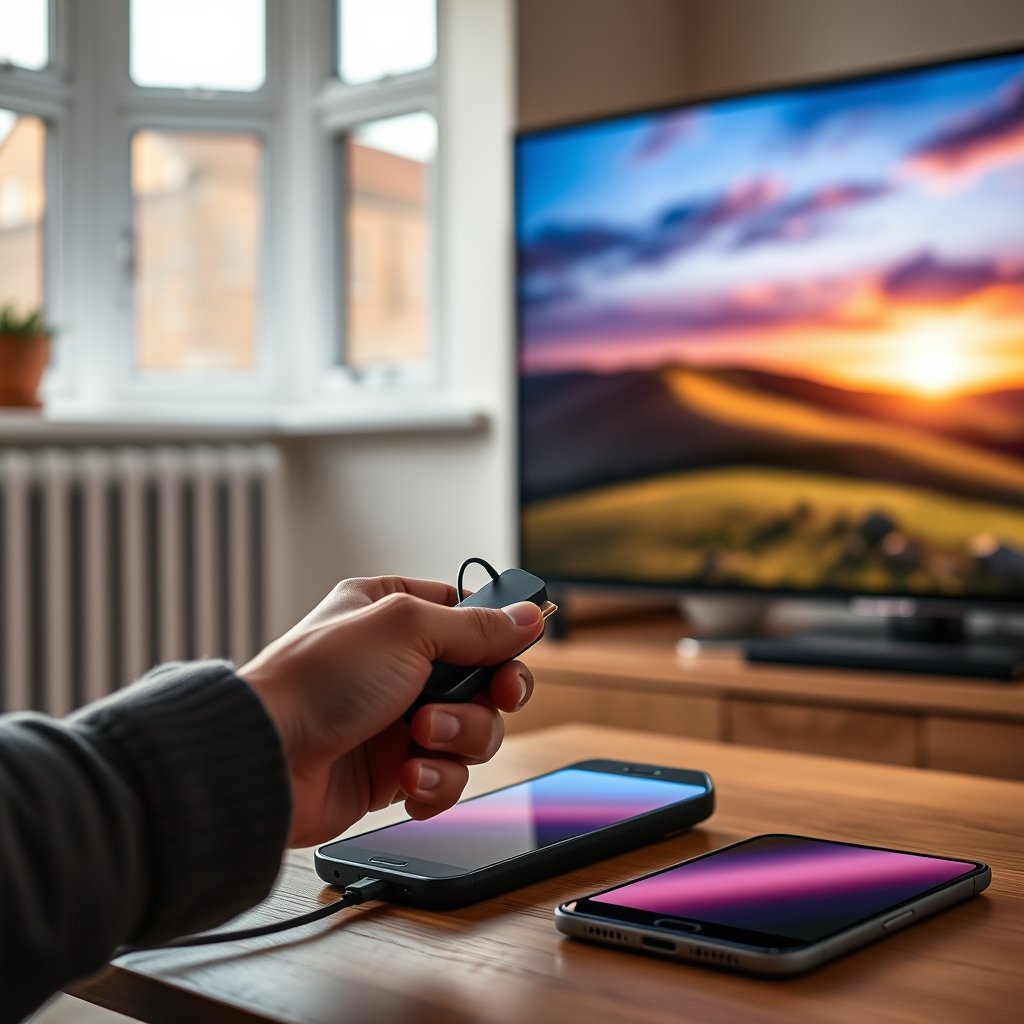
Streaming Quality – What Speed Do You Actually Need for Smooth Viewing?
Streaming quality in IPTV depends on two things: the quality of the provider’s infrastructure and the speed of your home broadband. Both need to be adequate. A provider with excellent servers cannot compensate for a slow connection, and a fast broadband line cannot fix a provider with overcrowded or unreliable infrastructure.
Minimum Speed Requirements by Resolution
Here is a practical breakdown of what your connection needs to handle different quality levels:
- Standard Definition (SD): 3 to 5 Mbps per stream. Acceptable for news or background viewing, but noticeably soft on modern large-screen TVs.
- High Definition (HD 720p/1080p): 10 to 15 Mbps per stream. The minimum you should accept for comfortable everyday viewing on a TV screen.
- 4K Ultra HD: 25 Mbps per stream. Requires a strong, stable connection and a provider with genuine 4K output rather than upscaled HD.
- Multiple simultaneous streams: Multiply the above by the number of devices watching at once. A household with three people watching 1080p simultaneously needs at least 45 Mbps available.
Most UK broadband connections in 2026 are more than capable of handling 4K IPTV. The more common problem is not the total speed of the connection but the consistency of it. A connection that regularly drops below the required threshold, even briefly, will cause buffering regardless of its headline download speed.
What to Test Before You Commit
When evaluating any IPTV service, test it at peak viewing times rather than during a quiet Tuesday afternoon. Evening hours between 7pm and 10pm are when most buffering problems surface, because server load is highest. If a service performs well during that window, you can be reasonably confident it will perform well consistently.
For a detailed walkthrough of what to test during any trial period, the guide on free trial IPTV UK covers exactly what to look for and what red flags to watch out for before committing.
4K and What It Actually Requires
Not every IPTV service that claims to offer 4K is delivering genuine 4K content. Some services upscale 1080p streams and label them as 4K, which looks noticeably different on a large screen from native 4K output. If 4K quality matters to you, it is worth understanding how to tell the difference and which content categories are actually available at that resolution.
Our guide on 4K IPTV in the UK covers the equipment requirements, common misconceptions, and how to check whether your setup can genuinely handle native 4K streams.
IPTV Kingdom offers 4K UHD streaming where available, with anti-freeze technology built in to maintain stream stability during high-demand periods. The 36,000+ channel library and 260,000+ movies and series are delivered across a 99.9% uptime infrastructure designed specifically to handle peak-hour load.
Privacy and Anonymity – What to Look for When Choosing Your IPTV Subscription
Privacy is not a topic that gets much attention in IPTV subscription guides, but for many UK viewers it is a genuine consideration. At a basic level, any service you subscribe to knows your IP address, your payment details, and your viewing activity. How that information is stored, used, and protected varies considerably between providers.
VPN Compatibility
Some IPTV services are described as VPN-friendly, meaning they function correctly when your connection is routed through a VPN. Others actively block or degrade service when a VPN is detected. If you use a VPN for general privacy or if you are accessing content from a location with bandwidth restrictions, VPN compatibility should be on your checklist.
A service that blocks VPN connections is not automatically suspicious, but it is worth understanding why before subscribing. A service that supports VPN connections and makes this explicit is generally a good sign of transparency about how your connection is handled.
Payment Anonymity
Certain providers offer payment options beyond standard card transactions, including cryptocurrency or e-wallet payments that reduce the personal data associated with your subscription. If financial privacy matters to you, check what payment methods are accepted before signing up.
Data Handling and Account Security
Look for providers that use secure login systems, do not share account data with third parties, and have a clear process for account cancellation that includes data deletion. These are reasonable expectations from any service handling personal and financial information.
IPTV Kingdom includes built-in VPN protection as part of its service, which is a meaningful differentiator. Rather than relying on a separate VPN subscription and hoping your IPTV provider does not block it, the protection is integrated at the service level.
What Good Value Actually Looks Like in 2026
Good value in an IPTV subscription is not the same as the lowest price. It means getting a consistent, well-supported service that does what it promises, at a price that reflects the infrastructure behind it. The clearest signal of value is transparency: providers that are clear about pricing, contract terms, device support, and what happens if something goes wrong.
The Features That Should Be Non-Negotiable
Regardless of price tier, every decent IPTV subscription should include:
- A working EPG so you can see what is on and when
- Catch-up TV so you are not tied to live schedules
- Responsive customer support with a response time measured in minutes, not days
- A clear cancellation process with no hidden exit penalties
- A money-back or satisfaction guarantee that gives you time to test the service properly
When a provider offers all of these without burying the detail in small print, that is a meaningful indicator of confidence in their own product. Providers that hedge, obscure, or make these points difficult to find are telling you something before you even subscribe.
How IPTV Kingdom Positions Against These Criteria
IPTV Kingdom is a United Kingdom IPTV service built around transparent pricing and practical support. The plan structure is simple: £10 for one month, £25 for three months, £35 for six months, and £49 for twelve months. There are no setup fees, no proprietary hardware requirements, and no mid-contract price increases. Activation takes approximately 15 minutes, and 24/7 WhatsApp support is available if you need help at any stage.
The 3-day money-back guarantee gives you enough time to test the service across a range of content and across peak viewing hours. If it does not work the way you expected, you can request a refund without a complicated process. For a deeper look at what separates genuinely strong providers from average ones, the guide on the best IPTV provider UK offers a feature-by-feature breakdown worth reading before you make any decision.
If you are also interested in understanding how different providers are rated and what those ratings actually reflect in practice, the analysis of top rated IPTV services is a useful companion piece.

Making the Right Call on Your IPTV Subscription
Choosing the right IPTV subscription is not complicated once you know what to look for. The market has matured enough in 2026 that genuinely good services exist at reasonable prices, but the gap between the best and the worst providers is still significant. Transparent pricing, device flexibility, consistent stream quality, and responsive support are the four pillars that separate a service worth paying for from one that will frustrate you within weeks.
Start with a short-term plan to test properly, switch to annual billing once you are satisfied, and never sign up with a provider that cannot clearly explain what you are getting and what happens if it does not work. The cheap iptv subscriptions that look appealing at first glance rarely survive contact with peak-hour viewing and real customer support requests.
For a broader look at how to approach your research and what the best iptv subscriptions consistently have in common, the guide on best IPTV provider features for 2026 covers the measurable performance indicators worth demanding from any service before you commit.
If you want to test before committing, read the full guide on IPTV free trials in the UK to understand exactly how to use a trial period effectively and what to look out for during it.
📲 Subscribe via WhatsApp, 24/7 UK Support
Instant activation. 3-day money-back guarantee.
Frequently Asked Questions
What is a realistic monthly cost for a reliable IPTV subscription in the UK in 2026?
The average reliable UK IPTV subscription in 2026 costs approximately £10 to £15 per month on a rolling basis. Budget options exist from around £5 per month but typically come with infrastructure compromises that affect stream quality and reliability. Annual plans bring the effective monthly cost down significantly, often to below £5 per month for mid-range quality services.
Can I use my existing smart TV or Fire Stick, or do I need to buy a specific box?
The majority of reputable IPTV services in 2026 support a wide range of devices including smart TVs, Amazon Fire TV Sticks, Android TV boxes, phones, tablets, and computers. You should not need to purchase any proprietary hardware. If a provider requires you to buy their specific box, treat that as a flag worth investigating before signing up, as it creates a dependency that favours the provider rather than you.
How much broadband speed do I need for IPTV in 4K?
For a single 4K IPTV stream, you need approximately 25 Mbps of stable bandwidth. If multiple people in your household are watching simultaneously, multiply accordingly. The consistency of your connection matters as much as its peak speed: a connection that regularly dips below the required threshold, even briefly, will cause buffering regardless of its headline download speed.
Is a money-back guarantee better than a free trial for testing an IPTV service?
Yes, in most cases a money-back guarantee is more useful than a free trial. Free trials often come with restricted channel access, capped quality, or a time limit too short to test peak-hour performance properly. A money-back guarantee lets you test the full service under real viewing conditions and get a refund if it does not meet your expectations. For more detail on how to use a trial period effectively, the guide on IPTV free trials is worth reading.
What does VPN-friendly mean for an IPTV subscription, and why does it matter?
VPN-friendly means the service continues to work correctly when your internet connection is routed through a Virtual Private Network. This matters if you use a VPN for general privacy, or if your connection is subject to bandwidth throttling from your broadband provider. Some IPTV services detect and block VPN connections, which can interrupt your viewing. Checking for VPN compatibility before subscribing is worthwhile if privacy or connection flexibility is important to you.
What should I check for hidden fees before signing up to an IPTV subscription?
The key areas to check are: whether there is any upfront hardware or activation cost, whether the advertised price is an introductory rate that increases after the first billing period, whether there is a minimum contract length with an early exit penalty, and what the process is for cancellation. A provider that is transparent about all of these points upfront is significantly more trustworthy than one that buries the detail or makes the information difficult to find. Also check the British IPTV complete guide for a thorough breakdown of pricing structures and what fair value looks like.
